Laptop Stands for Better Ergonomics

Disclosure / Affiliate Notice:
As an Amazon Associate I earn from qualifying purchases. Some links in this article may be affiliate links that earn me a commission at no extra cost to you.
The modern workplace has quietly evolved into something our bodies weren’t designed for. We’ve traded the physical demands of manual labor for the subtle, persistent strain of hunching over screens for eight hours a day. What strikes me most about this shift is how normalized we’ve become to daily discomfort—as if tight shoulders and neck tension are simply the price of productivity.
I’ve watched countless professionals accept this trade-off without question, treating ergonomic strain like an inevitable consequence of desk work. But here’s what most people miss: the problem isn’t that we’re working at computers. It’s that we’re working at computers positioned as if our bodies are infinitely adaptable machines rather than biological systems with specific structural needs.
The fundamental design conflict nobody talks about
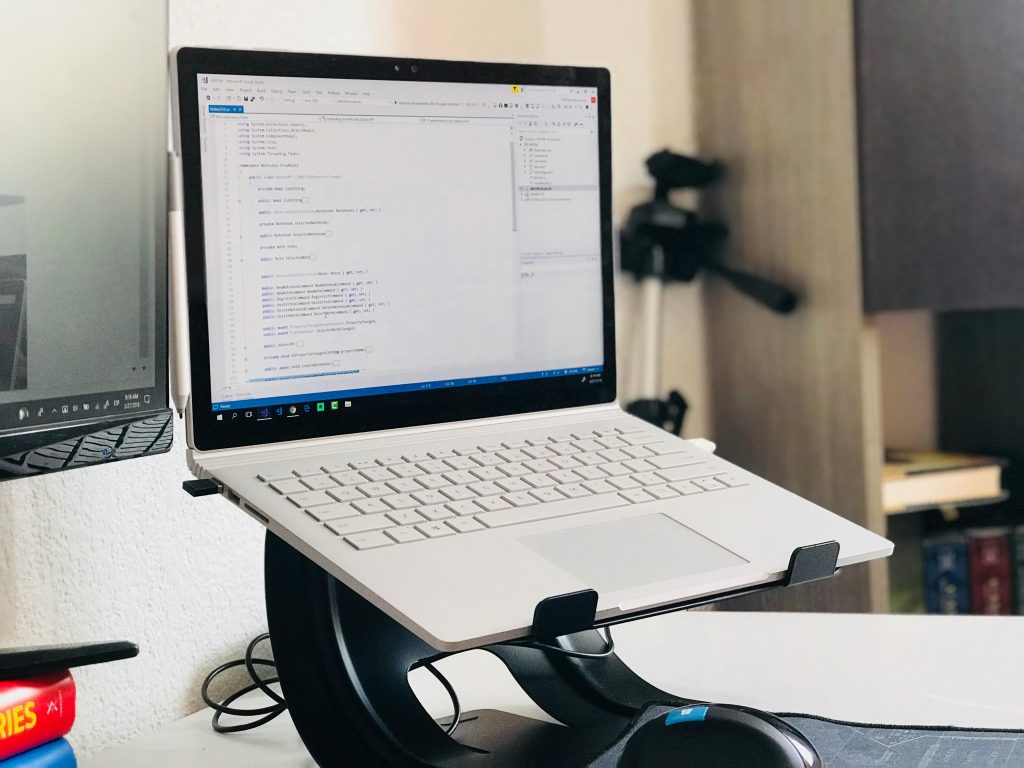
Every laptop embodies a compromise that creates physical problems. The device combines screen and keyboard into a single unit, which makes perfect sense for portability but creates an impossible ergonomic equation. Your eyes need the screen at one height, your hands need the keyboard at another, and there’s no position where both requirements can be satisfied simultaneously.
This isn’t a minor inconvenience—it’s a design flaw that affects millions of people daily. When you place a laptop on a standard desk, you’re forced to choose between comfortable typing and comfortable viewing. Most people unconsciously choose typing comfort, which means the screen sits far below eye level. The result is predictable: your head tilts downward, your shoulders roll forward, and your entire upper body gradually collapses into a position that would look obviously uncomfortable if you saw it in a photograph.
What bothers me most is how gradual this process feels. The discomfort doesn’t announce itself dramatically. Instead, it accumulates quietly throughout the day, manifesting as afternoon fatigue, evening tension, or that persistent ache between your shoulder blades that you can’t quite pinpoint.
Why raising the screen changes everything
A laptop stand addresses this fundamental conflict by breaking the forced relationship between screen and keyboard height. When you elevate the screen closer to eye level, something interesting happens: your body stops working against itself.
The change isn’t just about posture in the abstract sense. It’s about reducing the constant muscular effort required to hold your head in an unnatural position. Your neck muscles, which have been quietly straining all day to support your head at an awkward angle, can finally relax. Your shoulders, no longer pulled forward by the need to lean toward a low screen, can settle back into their natural position.
In my experience, people often underestimate how much energy this constant compensation requires. It’s like holding a light weight at arm’s length—manageable for a few minutes, exhausting after an hour, and genuinely problematic when maintained for weeks or months.
The external keyboard reality most people avoid
Here’s where things get practical, and where I see many people make a critical mistake. They buy a laptop stand, raise the screen, and then continue typing on the laptop’s built-in keyboard. This creates a new problem: now the keyboard is too high, forcing your arms and wrists into an equally uncomfortable position.
The most effective solution requires accepting that you’ll need an external keyboard and mouse. I know this feels like additional complexity and expense, but it’s the difference between solving the ergonomic problem and simply moving it to a different part of your body.
This is particularly important for anyone spending more than a few hours daily at their laptop. The investment in separate input devices pays dividends in comfort and long-term physical health that far outweigh the initial inconvenience of a slightly more complex setup.
Fixed versus adjustable: a decision that matters more than you think
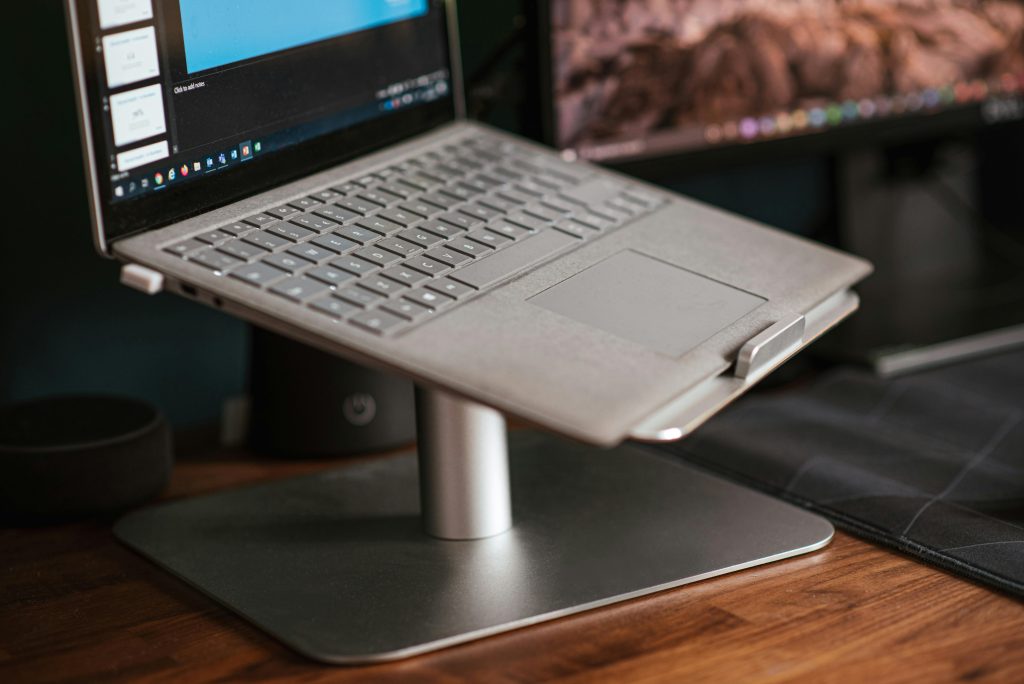
The choice between fixed and adjustable stands reveals something important about how you actually work. Fixed stands work beautifully if your workspace is consistent—same desk, same chair, same person using the setup daily. They’re typically more stable and often more aesthetically pleasing because they don’t require moving parts or adjustment mechanisms.
But adjustable stands become essential if your work environment varies. If you alternate between sitting and standing, work at different locations, or share the workspace with others, the ability to modify height and angle transforms from a nice feature into a necessity.
What most people overlook is that adjustability isn’t just about accommodation—it’s about optimization. Being able to fine-tune the screen position means you can achieve the exact viewing angle that works for your height, your chair, and your specific desk setup. This level of customization often makes the difference between a setup that’s “good enough” and one that genuinely enhances your daily comfort.
The stability factor that manufacturers don’t emphasize enough
I’ve used laptop stands that looked impressive in product photos but wobbled annoyingly with every keystroke. This seemingly minor issue becomes a major distraction during long work sessions. Your screen shouldn’t move when you type, and any stand that allows this movement will eventually frustrate you regardless of its other features.
The most stable designs typically feature wide bases, multiple contact points with the desk surface, and support structures that hold the laptop near its center of gravity. These characteristics matter more than premium materials or sleek aesthetics, though manufacturers often emphasize the latter over the former.
The cooling benefit that solves a problem you might not know you have
Elevating your laptop improves airflow around the device, which reduces operating temperature and fan noise. This might seem like a minor consideration, but thermal management affects performance in ways that aren’t always obvious. A cooler-running laptop maintains better performance during demanding tasks and generally operates more quietly.
For anyone who regularly participates in video calls, processes large files, or runs resource-intensive applications, this improved cooling can make a noticeable difference in both system performance and ambient noise levels.
Why the first week feels strange and what that tells you
When you first start using a properly positioned laptop setup, it often feels slightly unnatural. Your eyes expect to look downward at the screen, and the new viewing angle requires a brief adjustment period. This temporary discomfort is actually a positive sign—it indicates that your previous setup was forcing your body into an unnatural position that had simply become familiar.
After about a week, the opposite typically happens. Returning to a laptop placed directly on a desk feels cramped and uncomfortable. This shift in perception confirms that your body prefers the elevated screen position, even though it took time to recognize the difference.
The real test comes during long work sessions. With a properly positioned screen, you’re likely to notice less end-of-day tension and fatigue. The change isn’t dramatic—it’s more like the absence of a problem you’d grown accustomed to tolerating.
For anyone spending significant time at a laptop, investing in proper screen positioning represents one of the most cost-effective improvements you can make to your daily comfort and long-term physical health. The alternative—accepting ergonomic strain as an inevitable part of desk work—simply doesn’t make sense when effective solutions are readily available.
Creating an ergonomic laptop setup requires elevating the screen to reduce neck strain and improve overall comfort during extended work sessions. A sturdy laptop stand that raises the screen closer to eye level can make a significant difference in daily comfort. A practical example can be found here:
As an Amazon Associate I earn from qualifying purchases.